fb
Website Keyword Ranking Check
An effective platform for SEO professionals, marketers, and website owners
Get instant results. No credit card required.
Website Keyword Ranking Check
Platform Stats
3879 Websites Audited
137,13К Pages Analyzed
629,16М Issues Detected
34,18К Keywords Analyzed
How It Works

Check Your Website's Google Rankings

If you're promoting a website using target keywords, our SEO rank tracker can help you check your website's positions in Google search results.

There are many ways to improve a site's visibility and measure SEO performance. One of the most proven and widely used methods is keyword-based promotion using a well-structured semantic core.

How Keyword-Based Promotion Works

An SEO specialist creates a semantic core — a list of keywords that generate search demand and bring targeted traffic to the site. These keywords are grouped by topic, and each group is assigned to an existing page or a newly created one. The selected pages are then optimized for their specific keyword groups.

Before launching a campaign, it's important to check the website's current Google rankings to establish a baseline.

Check Your Website's Google Rankings

How to Track Keyword Positions in Google

If your list of keywords is small, you can check website rankings manually by typing each query into Google and reviewing the top 10 pages of results. Once you find your website, you can note its position.

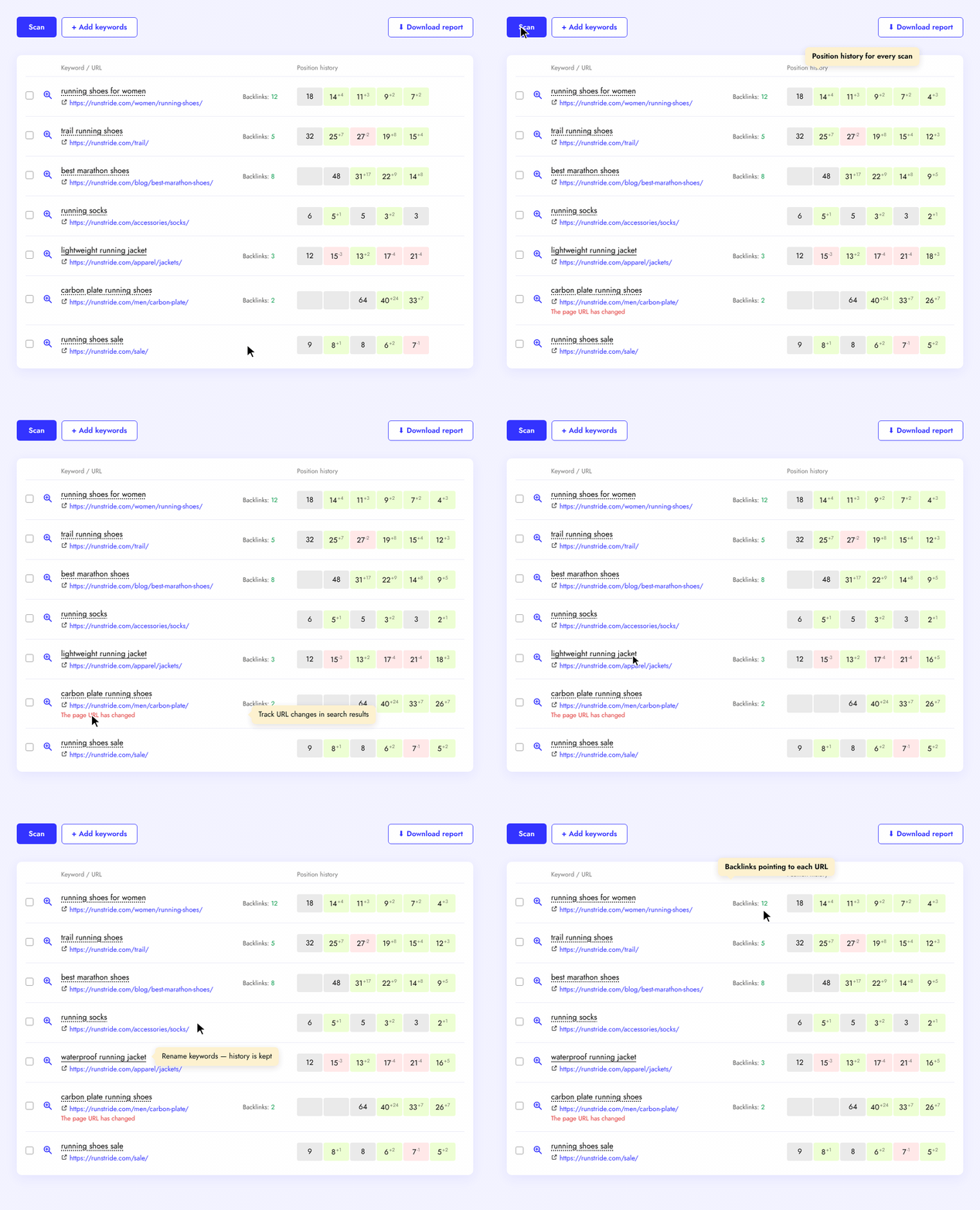
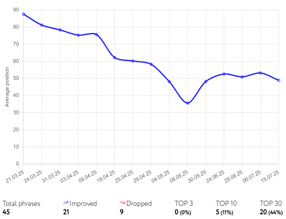
However, if your keyword list includes dozens or hundreds of phrases, manual tracking becomes inefficient. That's where our online SEO rank tracker — SEOgismo — comes in. Just start a keyword ranking check with a few clicks, and you'll get a detailed report showing:

  • Your site's position in Google for each keyword
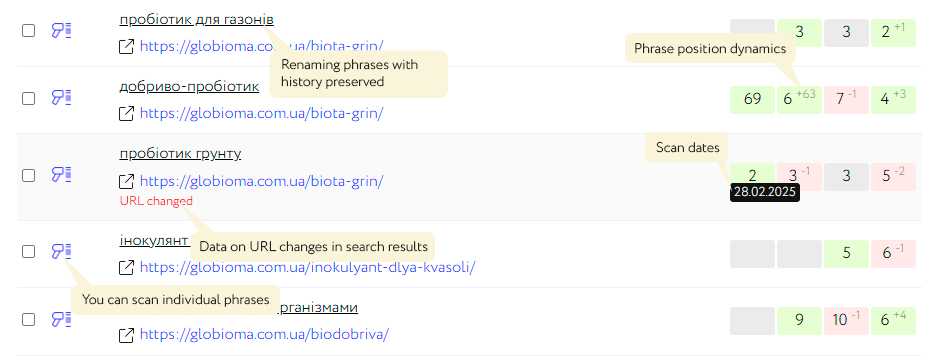
  • The exact page (URL) appearing in the results
  • Position changes compared to previous checks
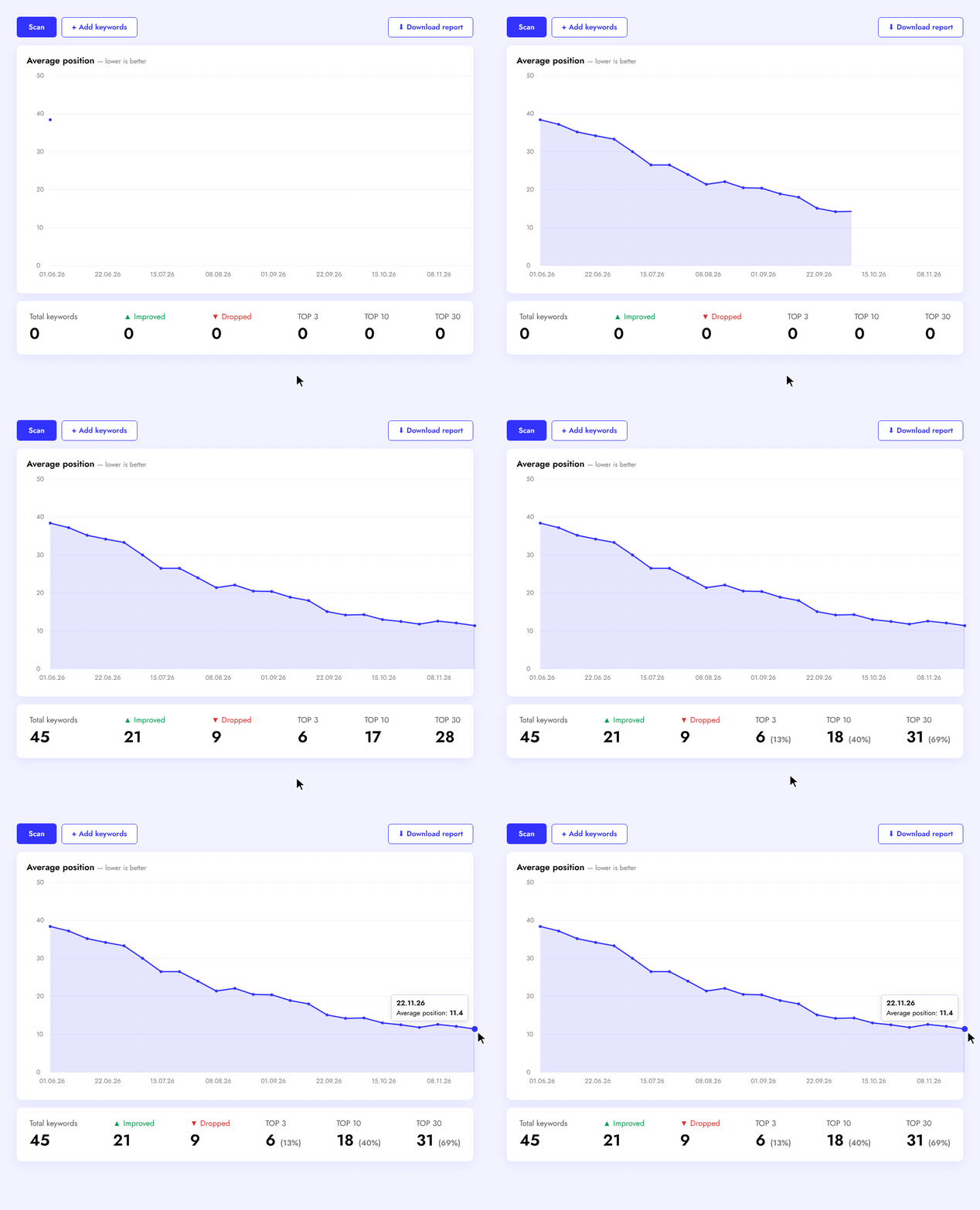
  • The average ranking across all tracked keywords

You can also download the report for further analysis.

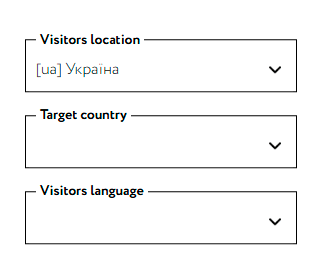
Our tool supports custom settings to check positions by country, language, and browser localization. It excludes paid ads and auto-suggestions from the results, giving you accurate organic rankings.

How to Track Keyword Positions in Google

Why Google Rankings Matter

Over 90% of users never go past the first page of Google results. More than half click on one of the top five results. If your site isn't ranking on the first page, there's room for growth. The primary goal of SEO is to increase your site's visibility — the higher your positions, the more traffic and potential customers you'll attract.

Regular Google ranking checks help you monitor performance, spot drops in keyword visibility, and take timely action to improve underperforming pages.

Use SEOgismo to track your website rankings efficiently and save time on SEO reporting.

Why Google Rankings Matter
SEO Specialist Toolkit
HTTP Status Code Checker
Get a detailed response for any URL
Learn more
UTM Link Builder
Track the performance of your advertising campaigns.
Learn more
WebP Image Converter
Convert JPG, GIF, and PNG images to the modern WebP format
Learn more
CSS Minifier
Minify your .css files to speed up site loading.
Learn more
Outbound Link Checker
Check external links, their anchors, response codes, and other attributes.
Learn more
Broken Link Checker
Quick check of internal links for a specific website page.
Learn more
Redirect Checker
Detect 3xx redirects on a page and analyze redirect chains.
Learn more
Robots.txt Tester
Enter any website URL to check if it's blocked by robots.txt
Learn more
Free XML Sitemap Validator
Free online tool for ensuring your sitemap is error-free, optimized, and ready for search engines
Learn more
SSL Checker
Check an SSL certificate, its expiry date, chain and HTTPS setup
Learn more
Domain Expiration Checker & WHOIS Lookup
Find out when a domain expires, its age, registrar and name servers
Learn more
Meta Tags Checker & SERP Snippet Preview
Check Title, Description, H1, canonical and Open Graph, preview the Google snippet
Learn more
Word Counter & Keyword Density Checker
Count words and characters, check keyword density and reading time
Learn more
CMS Detector
Find out which CMS, frameworks, analytics and CDN a website uses
Learn more
DNS Checker & IP / Hosting Lookup
See all DNS records, the server IP and which company hosts a website
Learn more
Reviews
Real User Experiences
Simple, clean, and effective. I especially like the backlink monitoring – it checks weekly if the links are still live and indexed. Saves me a lot of manual work.
Great service for quick SEO audits. It helped me spot technical issues on my client’s site that other tools missed
FAQ
What are the limitations of the free trial?
The demo version doesn’t support exporting reports to Excel.
Can I check the rankings of the same keywords multiple times a day?
Yes, you can. However, the report shows rankings on a daily basis. If you run several checks in one day, the latest results will overwrite the previous ones for that day. You’ll see only how many keywords have improved or dropped compared to the last scan.
Can I check specific keywords individually?
Yes, you can check the ranking of individual keywords. This option becomes available after you run your first full keyword scan.
Why do keyword rankings in Seogismo differ from manual checks?
There are several reasons why rankings from our service may differ from what you see when checking manually:

1. Personalization: Google customizes search results based on your search history, location, and user behavior. Manual checks show personalized results, while our service provides neutral, unbiased rankings.

2. Location differences: Search results depend heavily on user location. Our service may return results from a global or different region, whereas manual searches consider your IP address and browser language.

3. Caching: Google caches search results to speed up loading. This cache can vary between automated and manual requests, causing ranking differences at different times.

4. Settings: Our service often uses specific language and region parameters that might not match your browser’s settings.

5. Search features: Manual searches may include ads, “People also ask” boxes, or knowledge panels that affect organic ranking positions.

To reduce discrepancies:

- Use your browser's incognito or private mode for manual checks to avoid personalization.

- In our service, adjust location and language settings to better match your target audience.