Outgoing links are any URLs on your website that point users to a different domain. These external links can significantly impact your SEO and site reputation — for better or worse. In this article, we'll explain how to find outgoing links, their pros and cons, and how you can check your site in just a few minutes using our online tool at Seogismo.com.
How to Find Outgoing Links on Your Website
Sure, you could manually inspect your HTML or use browser extensions, but that's time-consuming — and if your site has hundreds of pages, it becomes almost impossible.
The fastest and easiest way is to use the Seogismo.com online tool. Our SEO platform scans any website and identifies all outgoing links, along with detailed data for each:
- Total number of outgoing links
- HTTP response codes (200, 301, 404, etc.)
- Link anchor (text, image, or none)
- Link attributes like
nofollowordofollow
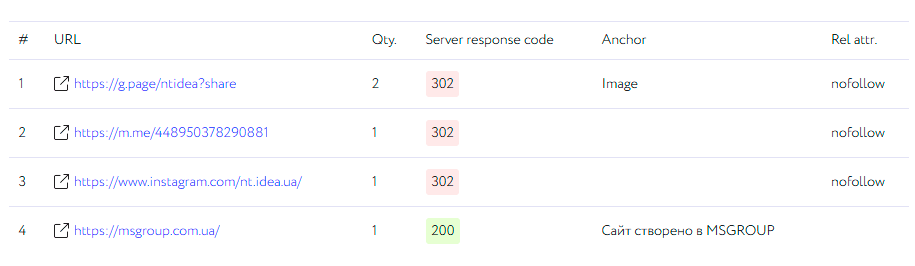
You can even scan a specific URL to instantly find all external links on that page.
Did you know? According to our data, 73% of websites have at least one broken outgoing link — which negatively impacts user experience and SEO rankings. Even worse, over 40% of website owners don't know they're linking to outdated or spammy sites.
How to Check Outgoing Links Right Now
| Sign up in 1 minute via email or Google — it's free. | 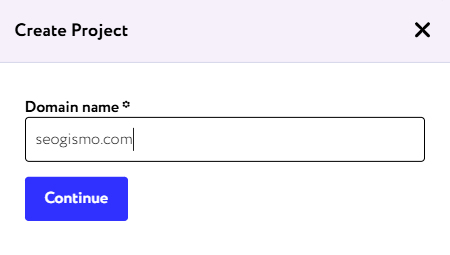 |
| Add the domain you want to scan and choose "Scan outgoing links" | 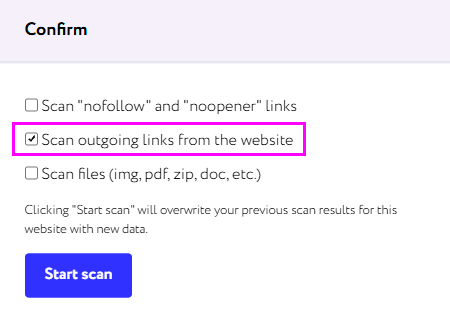 |
| Get a full report with all link data. | 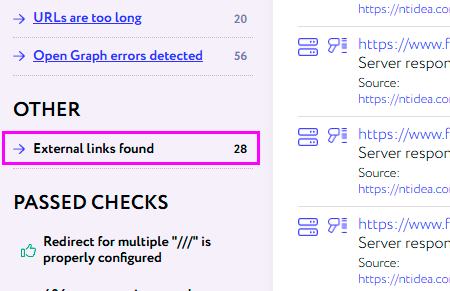 |
Why Use Seogismo?
- Free demo scan detects major issues
- One-click full SEO audit
- Data saved for future analysis
- User-friendly interface, data export to Excel
The SEO Impact of Outgoing Links
Outgoing links matter — they can either help or harm your SEO.
Benefits:
- Linking to high-authority domains (DR 70+) increases trust with search engines
- Supports your content by referencing credible sources
- According to Ahrefs, sites that regularly link to relevant sources get 22% more backlinks on average
Risks:
- Linking to spammy or low-quality domains reduces your domain authority
- Broken or outdated links (404, 403, etc.) hurt user experience and indexing
- Excessive outbound links may look like paid link schemes to Google
How Google Sees Outgoing Links
Search engines assess both your content and the websites you link to. If you point to trusted sources, Google sees you as valuable and open. But if you're linking to gambling sites, shady forums, or malware-infected domains, your ranking will suffer.
Common causes of harmful links:
- Your site was hacked and injected with malicious links
- Bots posted links via unprotected comment forms
- A previously good site you linked to has changed its content, been hacked, or no longer exists
Keep in mind: every external link you place passes some of your domain authority. According to Moz, too many outgoing links can reduce a page's PageRank by 15–20%.
Finding and removing low-quality outgoing links can improve your rankings and protect your site from penalties. Don't wait — check any website with Seogismo.com and make sure you're not losing SEO power because of bad links!