Our free SSL checker shows in a few seconds whether a website's SSL certificate is installed correctly and trusted by browsers. Enter a domain or any page URL and you will see who issued the certificate, which domains it covers, how many days are left until it expires and whether the full certificate chain is in place.
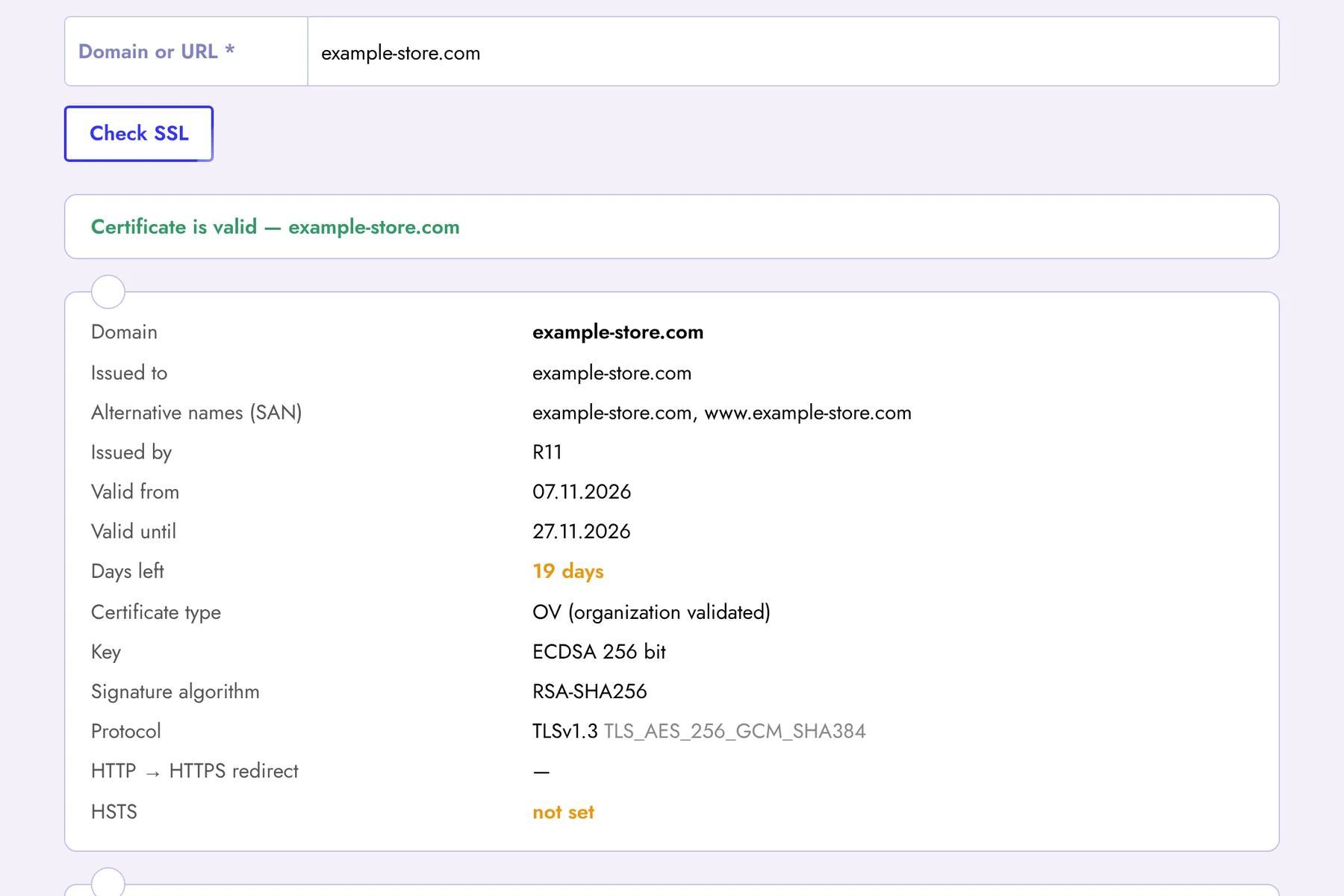
What the SSL Certificate Checker Shows
- Validity — whether browsers trust the certificate and, if not, the reason: wrong domain name, self-signed certificate or a missing intermediate certificate;
- Expiry date and days left — highlighted in orange when less than 30 days remain and in red when less than 14;
- Issued to and SAN — the main domain and all alternative names, including wildcard (*.example.com) certificates;
- Certificate authority and type — Let's Encrypt, Sectigo, DigiCert and others; DV, OV or EV validation;
- Key and signature — RSA or ECDSA key size and the signature algorithm;
- TLS protocol — TLS 1.3 / 1.2 are fine, TLS 1.0 and 1.1 are outdated and flagged;
- HTTP → HTTPS redirect and HSTS — whether visitors are always sent to the secure version of the site;
- Certificate chain — every certificate from your domain up to the root.
Why an SSL Certificate Matters for SEO
HTTPS is a confirmed Google ranking signal, and an invalid certificate is much worse than none at all: Chrome, Safari and Firefox show a full-screen “Your connection is not private” warning and most visitors leave immediately. Googlebot also has trouble crawling pages with certificate errors, so traffic can drop within days.
The most common problems we see are an expired certificate after automatic renewal silently failed, a certificate that does not cover the www version of the domain, and a missing intermediate certificate that breaks HTTPS on some phones while the site looks fine on your computer.
How to Check an SSL Certificate
- Enter a domain (example.com) or a full page URL in the field above.
- Click Check SSL — the check takes 2–5 seconds.
- Review the status at the top: green means everything is fine, orange or red shows what needs fixing.
Never Miss an SSL Expiry Again
Checking certificates by hand is easy to forget. Sign up for Seogismo and turn on Website Monitoring: we check your SSL certificate every day and send an email 14, 7 and 1 day before it expires, and immediately if it becomes invalid. Along with it you get uptime checks every 5 minutes, domain expiry reminders, robots.txt and sitemap monitoring, a full SEO audit, rank tracking and backlink monitoring — free for 7 days, no credit card required.
FAQ
How many days before expiry should I renew an SSL certificate?
Renew at least 2–3 weeks in advance. Let's Encrypt certificates are valid for 90 days and are usually renewed automatically 30 days before expiry — if you see fewer than 30 days left, auto-renewal has probably failed.
Why is my certificate valid in the browser but invalid here?
Most often the server does not send the intermediate certificate. Your browser may have it cached, but new visitors, mobile devices and search engine bots will get an error. Add the full chain (fullchain) to your server configuration.
Is this SSL checker free?
Yes, it is completely free and works without registration.