Google Analytics 4 in Your SEO Dashboard
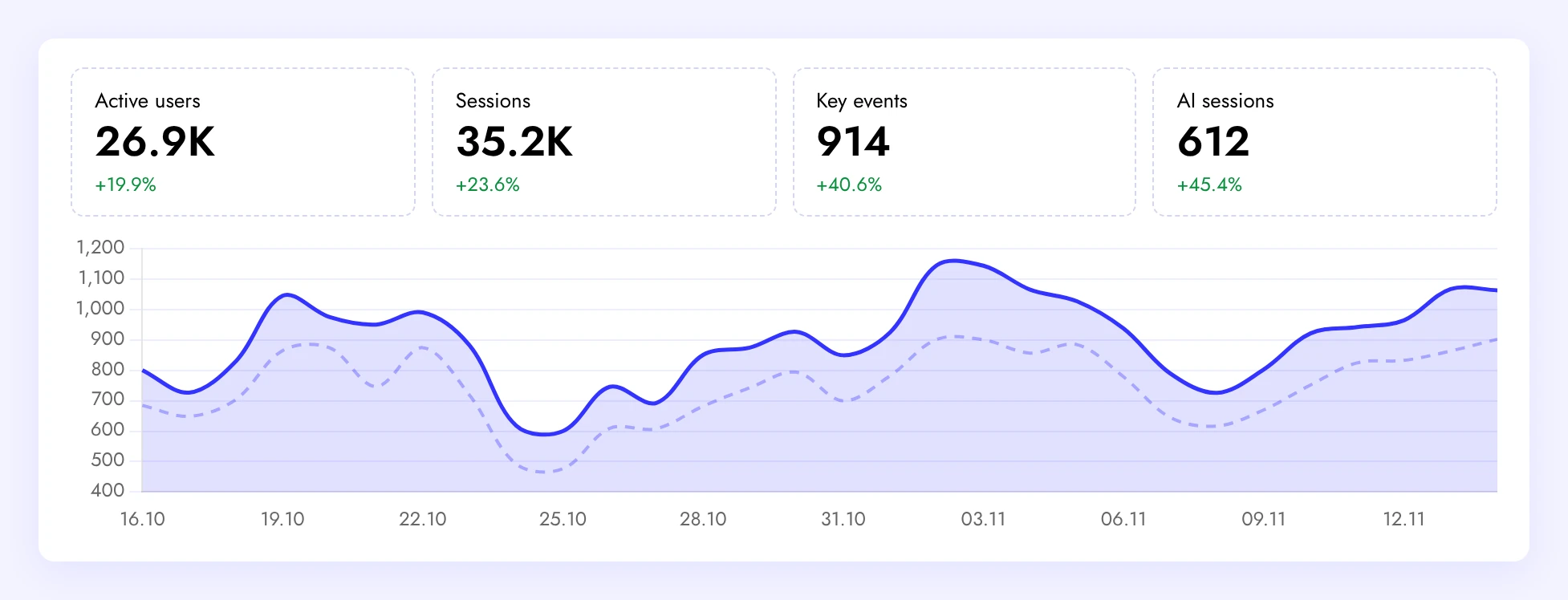
See your website traffic right next to the site audit, keyword rankings and Search Console data — no need to switch between tools.
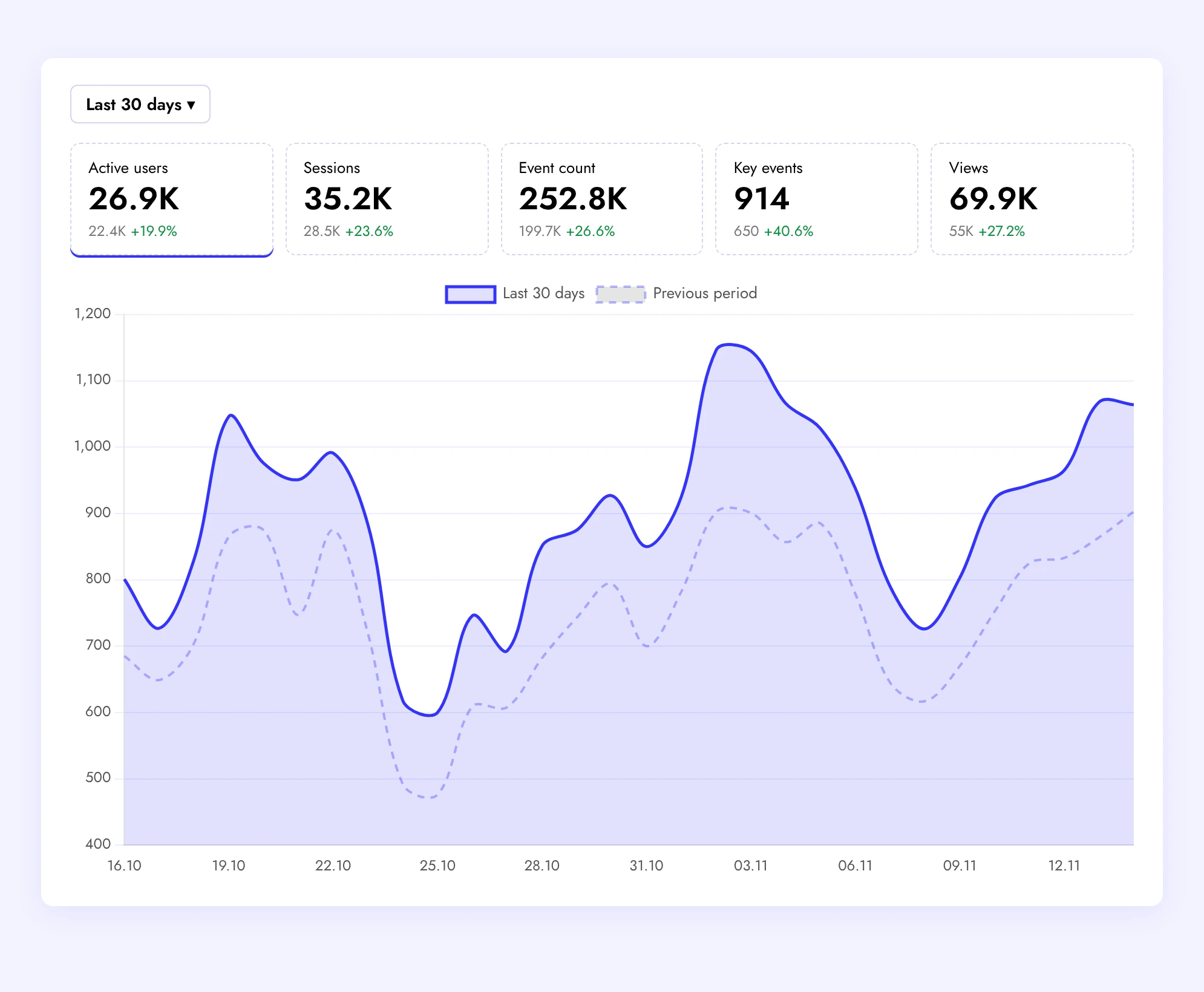
- Active users, sessions, events, key events (conversions) and page views;
- Comparison with the previous period of the same length for every metric;
- Periods from 7 days to a year in one click;
- Daily chart of the selected metric against the previous period.
You can see at a glance whether traffic is growing after SEO changes or has dropped and needs attention.
|
 |
Traffic Channels
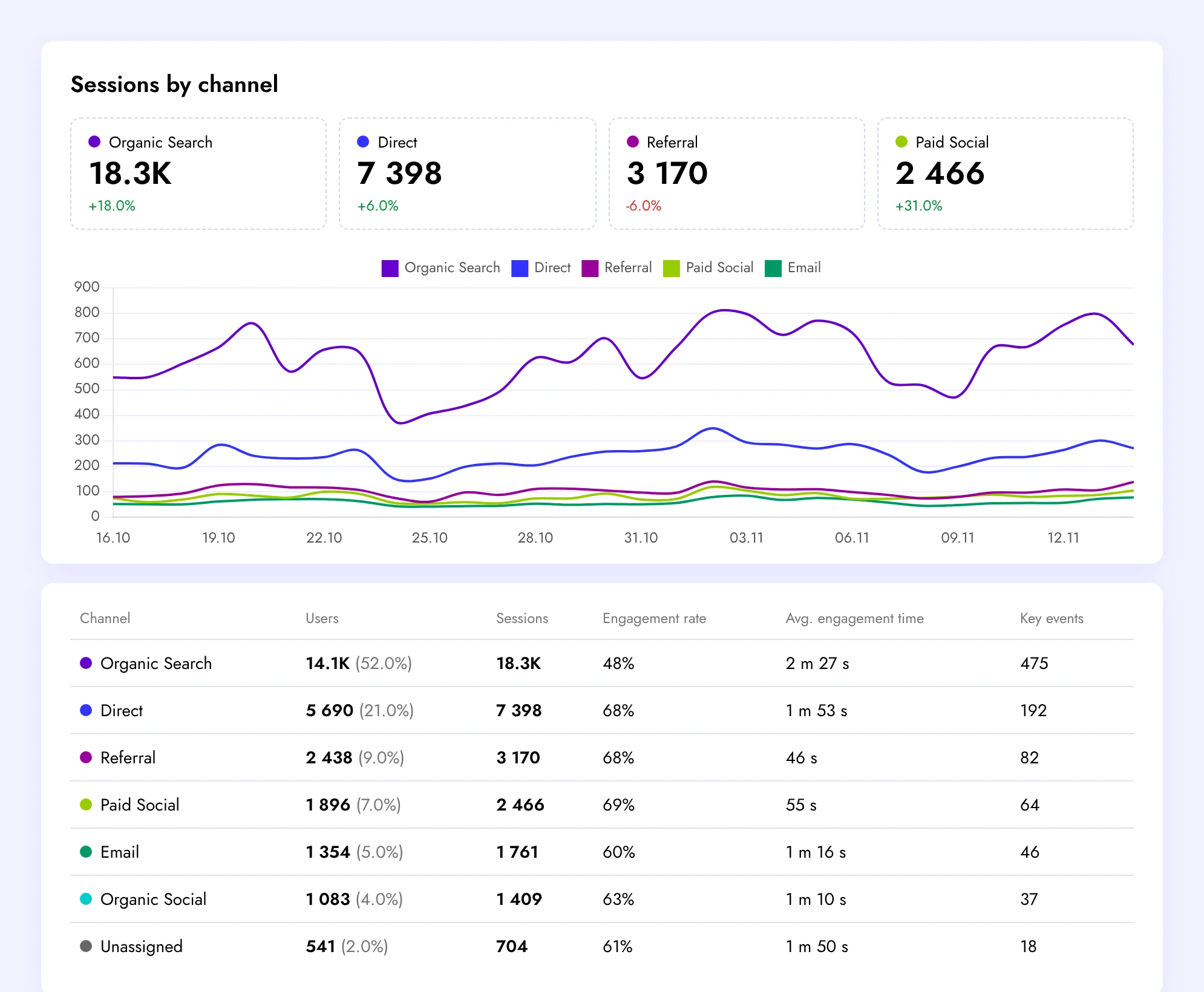
Find out where your visitors come from and which channel is growing or losing traffic.
- Organic Search, Direct, Referral, Paid, Social, Email and other GA4 channels;
- Change for each channel compared with the previous period;
- Daily chart for all channels;
- Table with users, sessions, views, engagement time, events and key events per channel.
A drop in Organic Search while other channels are stable is the first sign that you should check rankings and the site audit.
|
 |
Traffic from AI Assistants
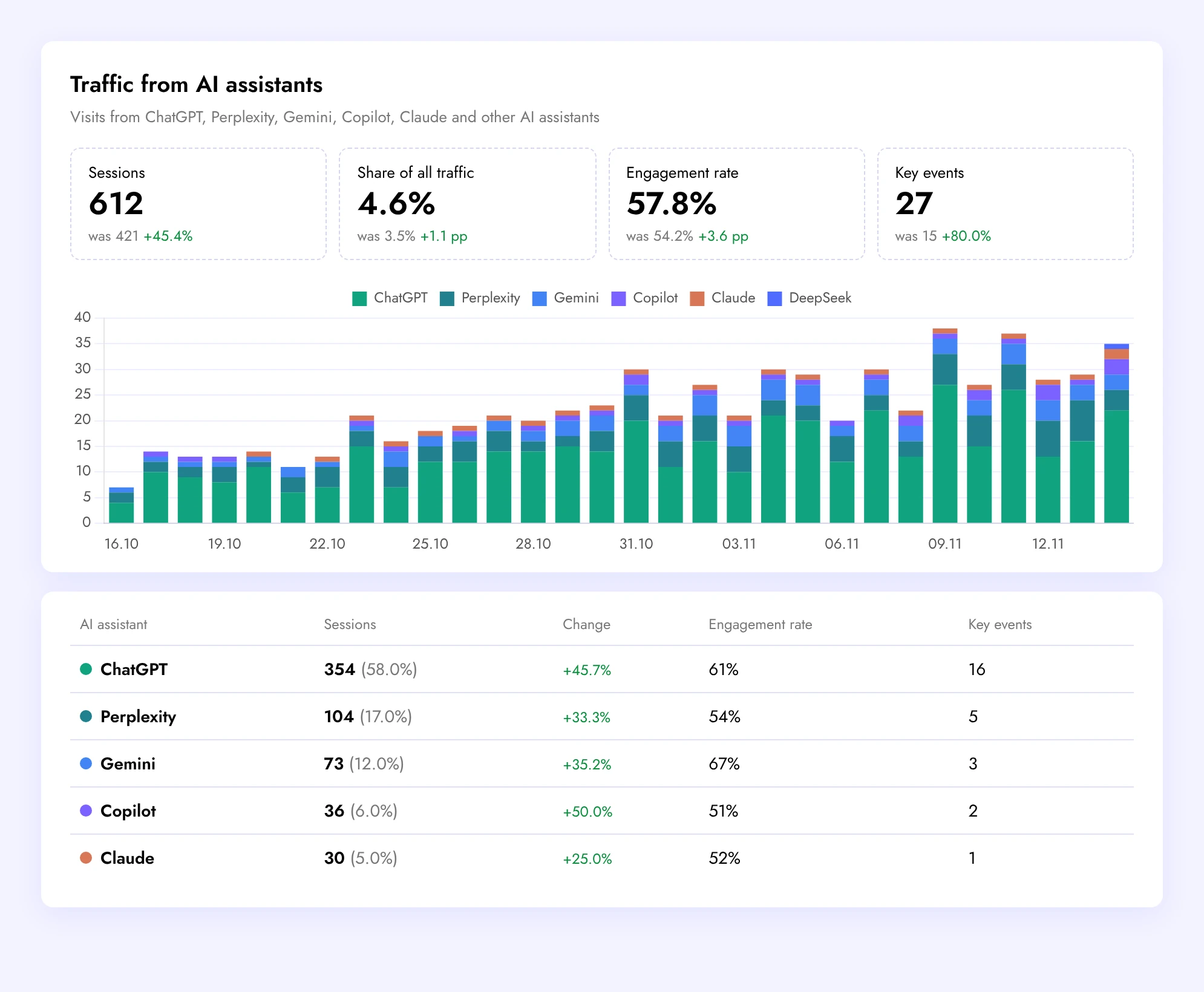
More and more people look for answers in ChatGPT, Perplexity, Gemini, Copilot and Claude. Seogismo shows how many visitors these assistants send to your website.
- Sessions, users, engagement rate and engagement time from AI assistants;
- Share of AI traffic in all website traffic and its change over time;
- Key events (conversions) from AI visitors;
- Breakdown by assistant: ChatGPT, Perplexity, Gemini, Copilot, Claude, DeepSeek, Grok and others;
- Pages that visitors from AI assistants land on.
No additional setup is needed: data appears automatically after you connect Google Analytics. Visits from Google AI Overviews and AI Mode are counted by Google Analytics as regular Organic Search.
|
 |
Quick Connection and Reports
Any website in your Seogismo account can be connected to Google Analytics 4 in a minute.
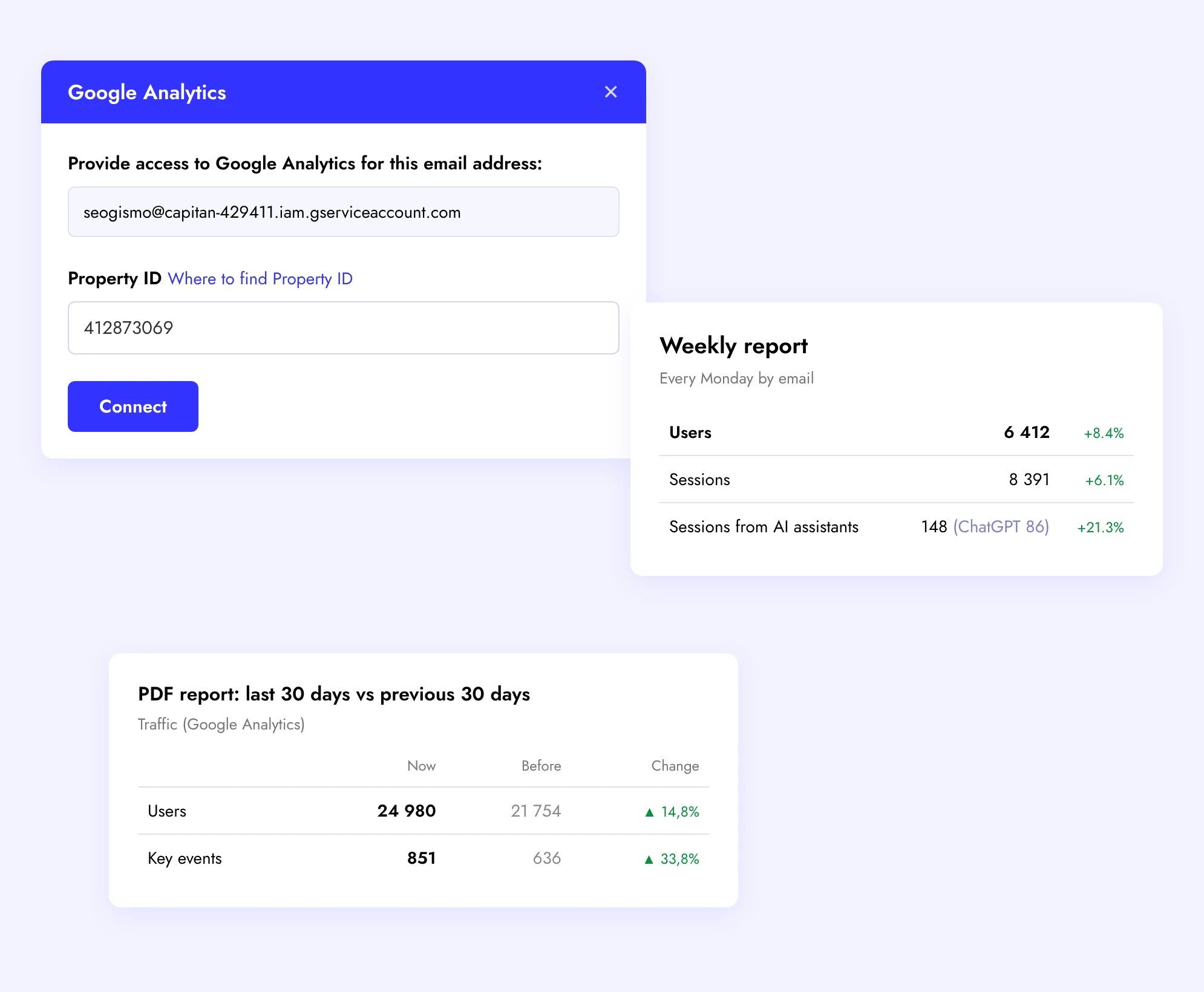
- Give read-only (Viewer) access in Google Analytics to the email address shown in the connection window;
- Enter the Property ID of your GA4 property;
- Data for the last 12 months loads right away, then updates automatically every day;
- Key traffic figures, including visits from AI assistants, are added to the weekly website monitoring email;
- On paid plans, Google Analytics data is included in the PDF report that compares the last 30 days with the previous 30 days.
|
 |
Google Analytics reports are available on all plans, including the 7-day free trial. The PDF report is available on paid plans.
To start, create a project, open Google Analytics in your dashboard and click Connect.
Get instant results. No credit card required.