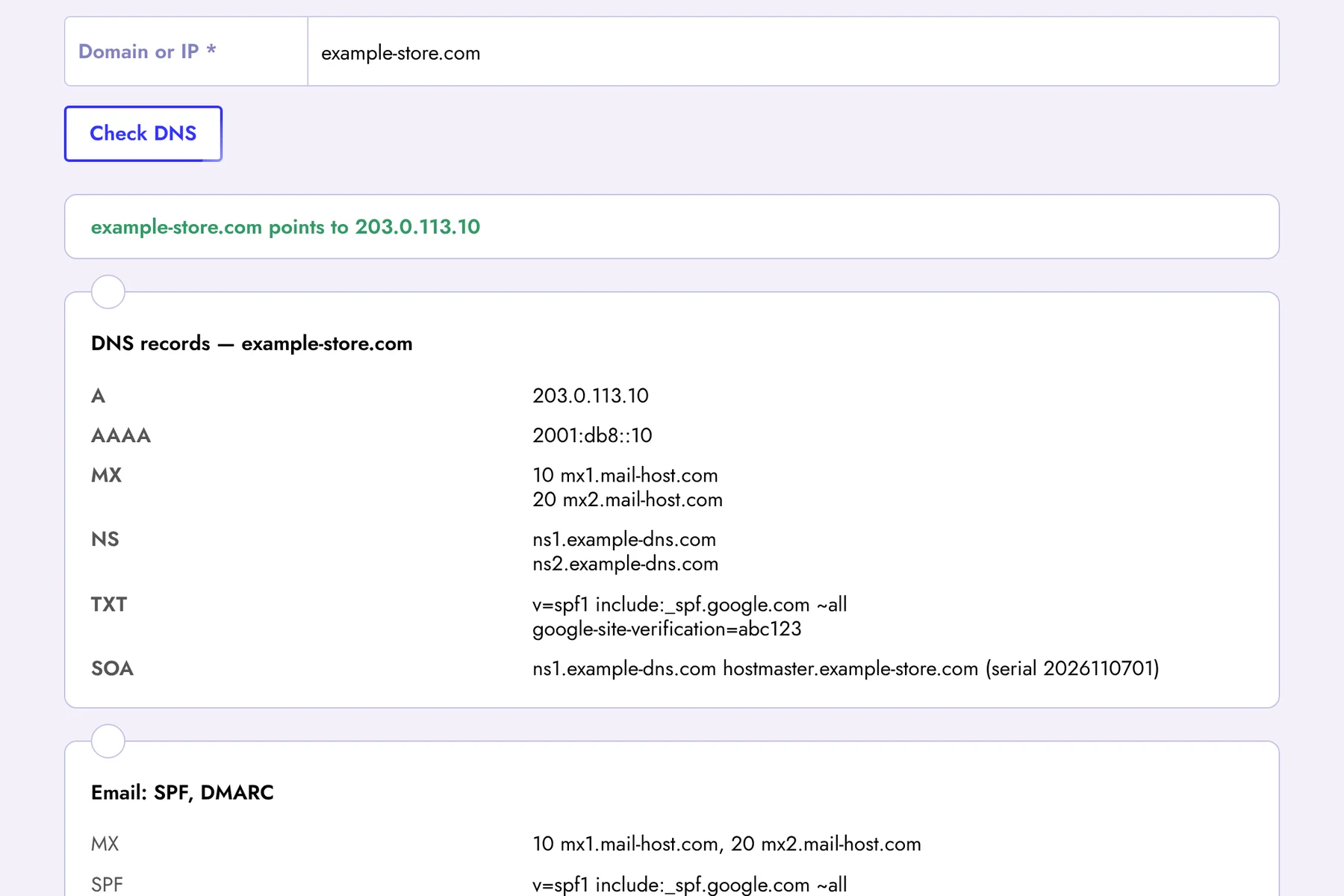
The DNS checker shows all public DNS records of a domain, the IP address of the server and which company hosts the website. It also checks the email settings SPF and DMARC that affect whether your emails reach the inbox or the spam folder. You can enter a domain, a page URL or an IP address.
Which DNS Records We Show
- A and AAAA — the IPv4 and IPv6 addresses the domain points to;
- CNAME — an alias pointing to another domain (often used for www and CDN);
- MX — mail servers that receive email for the domain, with their priority;
- NS — the DNS servers responsible for the zone;
- TXT — SPF, site verification for Google, Meta and other services;
- SOA — the primary name server and zone serial number;
- CAA — which certificate authorities are allowed to issue SSL for the domain.
Hosting Lookup: Who Hosts This Website
For the server IP address we show reverse DNS (PTR), the network name, IP range, country and the organization that owns the network — usually the hosting provider or cloud platform (for example Hetzner, OVH, DigitalOcean, Amazon AWS or Google Cloud). The data comes from the official regional internet registries via RDAP. If the website is behind Cloudflare or another CDN, you will see the CDN's network rather than the real server.
When a DNS Check Helps
- After moving to a new hosting — make sure the A record already points to the new server;
- Email problems — no MX records, no SPF or DMARC are common reasons for undelivered emails;
- Connecting services — check that a TXT record for Google Search Console or another service has been published;
- Competitor research — find out which hosting and CDN competitors use.
DNS changes do not apply instantly: depending on the TTL, the new values may take from a few minutes to 24–48 hours to propagate.
Find Out About Problems Automatically
If the server stops responding after a DNS change or the hosting goes down, every minute matters. Register at Seogismo and turn on Website Monitoring: we check availability every 5 minutes and email you about outages, SSL and domain expiry, robots.txt and sitemap changes. You also get a full SEO audit, rank tracking and backlink monitoring. 7 days free, no credit card.
FAQ
Why don't I see the new DNS records yet?
We query public DNS, which may still return cached values until the TTL of the old record expires. Check again in a little while.
What is a good DMARC policy to start with?
Start with v=DMARC1; p=none; rua=mailto:you@yourdomain to collect reports, then move to quarantine and reject once all legitimate mail sources pass SPF/DKIM.